
How to Send Wedding Invitations on WhatsApp
Learn how to send wedding invitations on WhatsApp the right way — step-by-step sending guide, image vs video vs PDF formats, ready-to-copy message samples for family and friends, etiquette rules, and mistakes to avoid.
By InviteNova Team
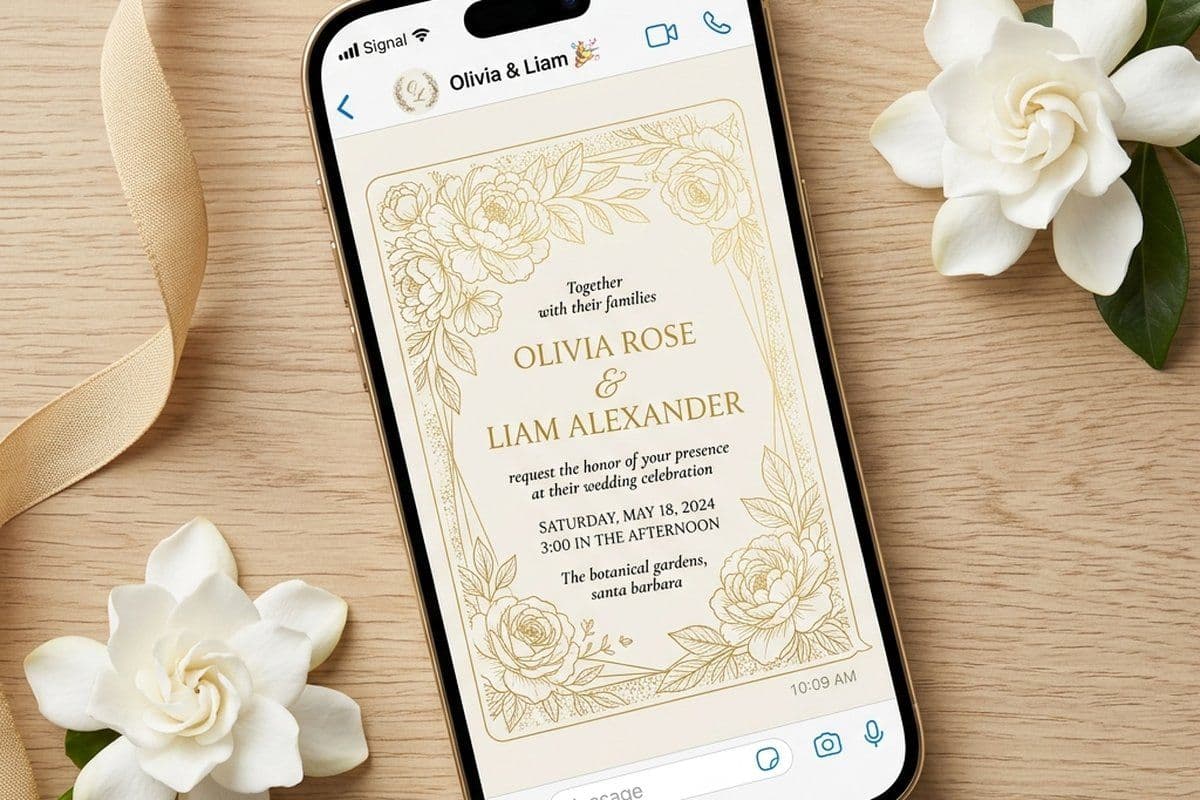
Sending your wedding invitation on WhatsApp is the fastest way to reach every guest — no printing, no postage, and instant delivery with read receipts. In this guide, you will learn exactly how to send wedding invitations on WhatsApp: which file format to use, how to word your message, the etiquette rules that keep it respectful, and how to track RSVPs without chasing guests one by one.
Why Couples Choose WhatsApp Wedding Invitations
WhatsApp has become the default way to share wedding news across India, the Middle East, Europe, and increasingly the US. Here is why it works so well for invitations:
- Instant delivery: your invitation reaches guests in seconds, whether they live next door or overseas.
- Zero cost per guest: printed invitations cost money for design, printing, and postage. A digital invitation costs the same whether you send it to 20 guests or 500.
- Read receipts: the two blue ticks tell you who has actually seen your invitation — something paper can never do.
- Easy updates: venue change or time correction? Send an update in seconds instead of reprinting cards.
- Eco-friendly: no paper, no ink, no transport — a meaningful saving when guest lists run into the hundreds.
Many couples now use a hybrid approach: printed cards for grandparents and close elders, and a matching digital wedding invitation on WhatsApp for everyone else.
What You Need Before You Hit Send
Get these four things ready before sending a single message:
- A finished digital invitation — an image, video, or PDF version of your wedding card with names, date, time, and venue.
- Your guest list with phone numbers — organized into groups (family, friends, colleagues) so you can personalize the message for each circle.
- A short invitation message — the text that accompanies the card. Never send an image with no message; it feels like a forward.
- An RSVP method — a simple "please reply to confirm," a Google Form link, or an RSVP page.
How to Send a Wedding Invitation on WhatsApp: Step by Step
Step 1: Create your digital invitation
Start with a design that matches your wedding style. You can design one from scratch or customize a ready-made template with your names, dates, and venue — browse wedding invitation templates and edit one in minutes. Export it as a high-resolution image (PNG or JPG).
Step 2: Choose the right format
Send images as a document rather than a photo if you want zero compression, or as a regular photo for instant preview in the chat. For most guests, a photo works best because it displays immediately without a download step. (See the format comparison table below.)
Step 3: Write a personal message to go with the card
The message matters as much as the card. Include who is getting married, the date and venue, and a personal line for that guest or group. Copy-ready samples are in the next section.
Step 4: Send individually — not in a group
This is the single most important etiquette rule. A wedding invitation dropped into a group chat feels like a broadcast, not an invitation. Send each message individually, or use a broadcast list so every guest receives it as a personal one-to-one message. Address the guest by name whenever possible.
Step 5: Time it right
Send WhatsApp wedding invitations 3 to 6 weeks before the wedding — earlier for out-of-town guests who need to arrange travel. Avoid sending late at night; mid-morning or early evening gets the best response.
Step 6: Track responses and follow up
Blue ticks tell you who has seen the invitation, but they don't tell you who is coming. The reliable way to collect answers is to include a personal RSVP link in each guest's message (more on this in the next section). After a week, politely follow up with guests who have seen it but not replied: "Hope you received our invitation — we would love to know if you can join us!"
The Smarter Way: Send a Personal RSVP Link to Each Guest
Most couples send the same invitation image to everyone and then spend evenings scrolling through chats, counting who said yes. There is a better way: give every guest their own personal RSVP link.
Here is how it works on InviteNova once you have your wedding invitation ready:
- Build your guest list — add guests with their phone numbers, organized into groups like family, friends, and colleagues.
- Create your RSVP — set up the RSVP for your event with the questions you need: attending or not, meal preference, plus-one, dietary notes.
- Tap the WhatsApp icon next to any guest — InviteNova generates a unique RSVP link for that guest and opens your WhatsApp chat with them directly, message pre-filled. No copying numbers, no typing links.
- Guest taps the link — they see your beautiful invitation and RSVP in seconds, right from their phone. No app to install, no account to create.
- Responses appear on your dashboard by name — because each link is unique to one guest, you instantly know who confirmed, who declined, and who hasn't answered — plus meal choices and plus-ones. Export everything to CSV for your caterer and venue.
Guests without WhatsApp are covered too: the same personal link can be copied and shared over SMS, email, or any messenger.
No more "who was this yes from?" — every RSVP is tied to a named guest automatically.
Image vs Video vs PDF: Which Format Should You Send?
| Format | Best for | Pros | Watch out for |
|---|---|---|---|
| Image (PNG/JPG) | Most guests — the default choice | Opens instantly in chat, easy to zoom, easy to save | WhatsApp compresses photos; keep text large and readable |
| Video invitation | Making a memorable first impression | Music and animation feel premium and personal | Keep it under 60 seconds and under 16 MB; always pair with text details |
| PDF (sent as document) | Multi-page invites and elder relatives who print | No compression, crisp text, prints cleanly | Requires a download tap; no preview in some chats |
Recommendation: send a high-quality image as the main invitation, and add a short video for close friends and family if you have one. Whatever the format, always repeat the date, time, and venue as plain text in the message so guests can find it with WhatsApp search later.
WhatsApp Wedding Invitation Message Samples
Pair these with your invitation card. Edit the names and details, and keep the tone matched to the guest.
Formal — for elders and family friends
Dear [Name], with the blessings of our families, we joyfully invite you to the wedding of [Bride] and [Groom] on [Date] at [Venue, City]. Your presence and blessings would mean the world to us. A formal invitation card is attached. — [Family Name]
Warm — for relatives
Dear [Name], we are delighted to share that [Bride] and [Groom] are getting married! Please join us on [Date] at [Venue] to celebrate this special day. The family would be honoured by your presence. Invitation attached — we look forward to seeing you!
Casual — for friends
Big news, [Name] — we're getting married! 🎉 Save the evening of [Date] because you are absolutely required at [Venue]. Invite attached. Reply and tell us you're coming!
For colleagues
Hi [Name], I'm happy to share that I'm getting married on [Date] at [Venue, City]. It would be lovely to have you join the celebration. Please find the invitation attached — do let me know if you can make it.
Gentle reminder — one week before
Hi [Name], just a warm reminder that [Bride] and [Groom]'s wedding is on [Date] at [Venue]. We can't wait to celebrate with you — see you there!
Planning a Gujarati wedding? We have a full collection of 25 Gujarati wedding invitation messages ready to copy.
WhatsApp Wedding Invitation Etiquette: Do's and Don'ts
| Do | Don't |
|---|---|
| Send each invitation individually with the guest's name | Dump the invitation into a group chat |
| Write a personal message alongside the card | Forward the bare image with no text — it reads as spam |
| Send printed or hand-delivered cards to grandparents and elders who value tradition | Assume every guest is comfortable with digital-only |
| Repeat date, time, and venue as text in the message | Put critical details only inside the image |
| Follow up politely after a week for RSVPs | Re-send the same invitation multiple times |
Common Mistakes to Avoid
- Sending too early or too late. More than 2 months out, guests forget; less than 2 weeks, calendars are full. The 3–6 week window is the sweet spot.
- Tiny text on the card. Most guests view invitations on a 6-inch screen. Preview your design on a phone before sending.
- No RSVP ask. If you never ask guests to confirm, they won't. End every message with a clear reply request.
- One generic message for everyone. Your college friends and your grand-aunt should not receive the same text. Three tone variations cover almost every guest.
- Forgetting time zones. For overseas guests, mention the local time and city clearly.
Create and Send Your Wedding Invitation in Minutes
With InviteNova you can customize a designer wedding invitation template, build your guest list in groups, and send each guest a personal invitation with their own RSVP link — straight into their WhatsApp chat with one tap. Every response lands on your dashboard by name, with meal choices and plus-ones, ready to export for your venue. No design skills needed, and your invitation looks beautiful on every phone